
If you would like to remove your FFC ID on Worldly, please follow the steps below. To add the FFC ID again, please follow the steps here: How to manually add an FFC ID in Worldly.
This article assumes you have found your FFC ID on your Account profile page in the Worldly platform.
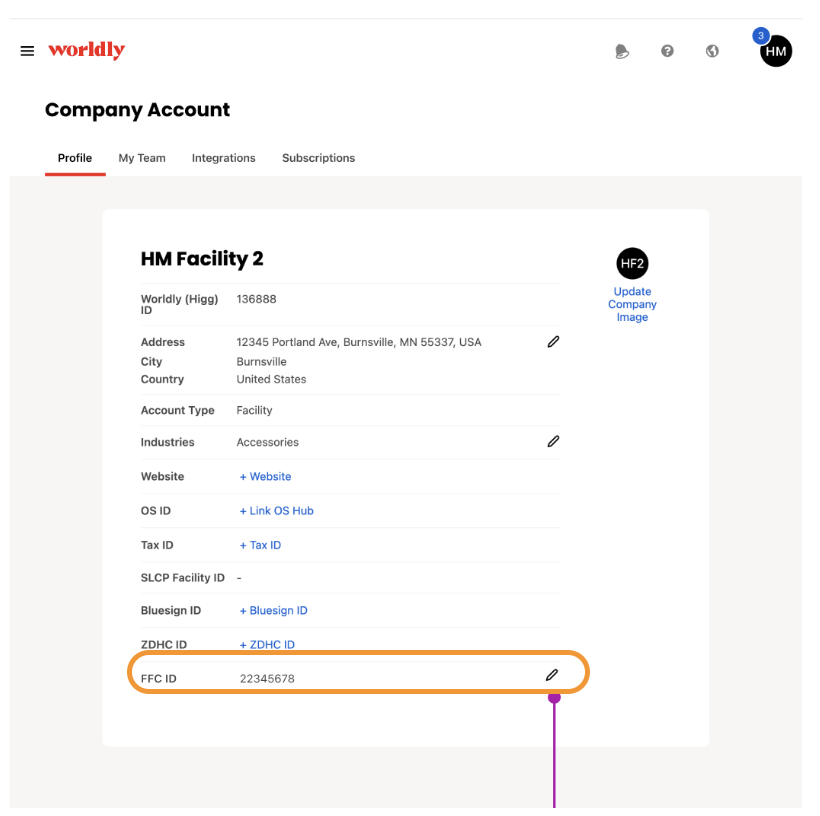
- From your Account Profile page, please click on the pencil icon to the right of FFC ID:
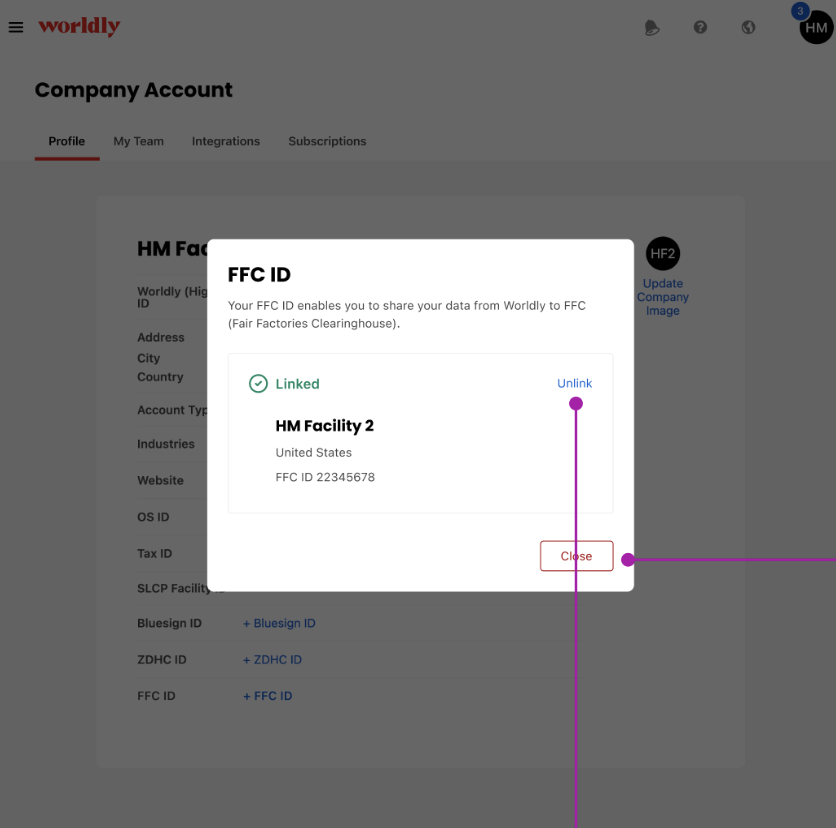
- You will see the following pop up window. To change the ID, please click “Unlink”:
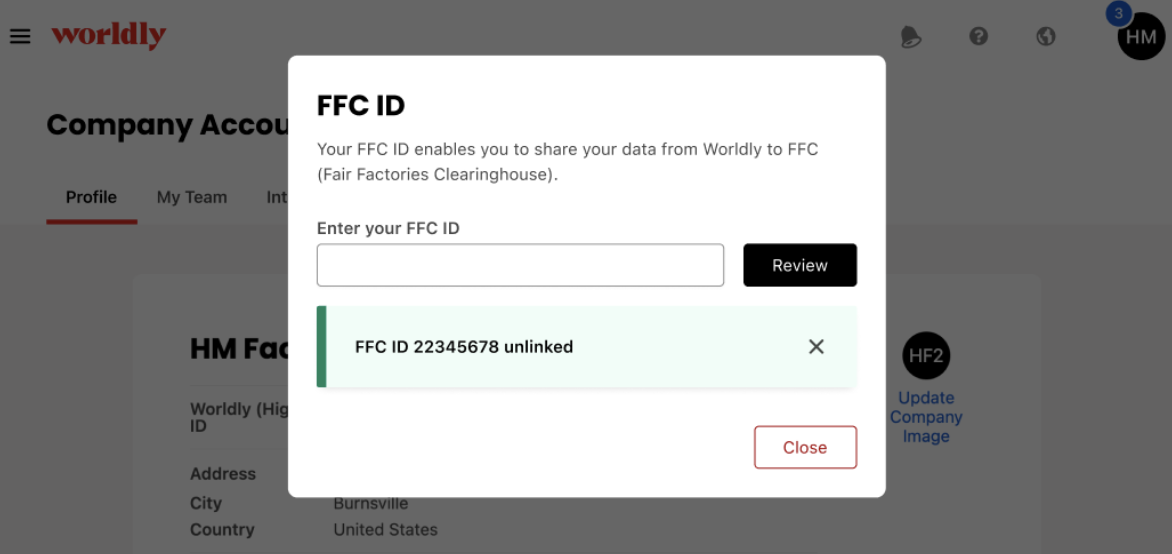
- You will then see this success message that the accounts have been unlinked:
- You may now follow the steps to add the correct FFC ID (How to manually add an FFC ID in Worldly)