
Table of Contents
Freeze and Unfreeze functionality allows organizations to control when assessments and findings can be edited.
Navigation
- Begin by navigating to Assessments from the left-hand navigation menu and select Choose Assessment.
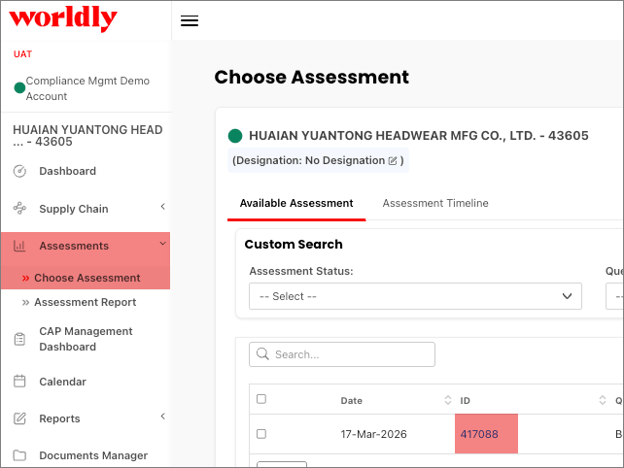
- Select the Assessment ID from the table, which opens the Assessment General Information page for the factory.
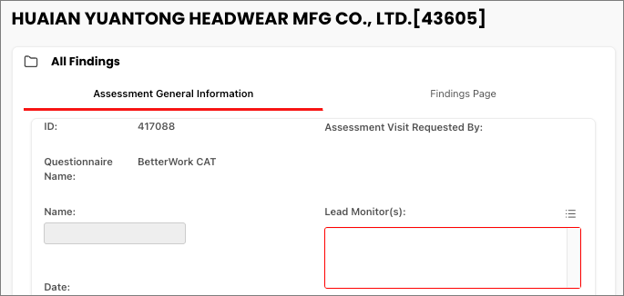
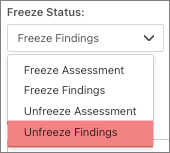
- Select the Freeze Status dropdown.
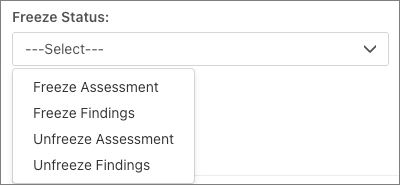
- Freeze Assessment - Prevents all edits within the assessment
- Freeze Findings - Prevents users from editing findings
- Unfreeze Assessment - Restores editing access to the assessment
- Unfreeze Findings - Allows authorized users to edit findings
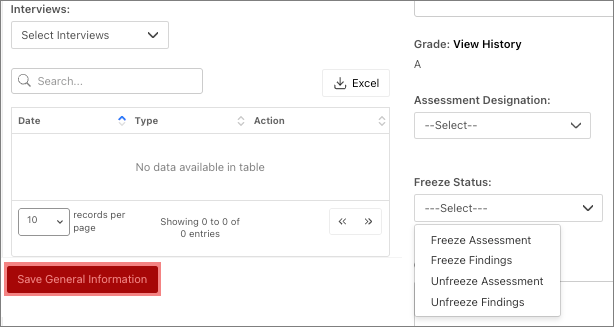
- Select Save General Information.
Freezing Assessments and Findings
Freeze is typically used when:
- An auditor has completed their findings
- The assessment review process has begun
- You want to prevent users from editing findings within an assessment
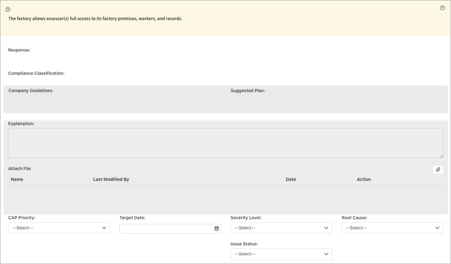
Freezing assessments and findings helps protect finalized findings, while allowing Corrective Action Plans (CAPs) to continue. Users with the correct role permissions can later unfreeze items if need be.
Freezing Assessments
Freezing assessments ensures the entire assessment is preserved in its final state. 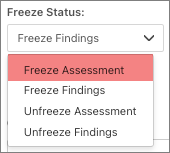
When the assessment is frozen:
- No fields can be edited
- Findings cannot be modified
- CAPs cannot be modified
- The assessment becomes read-only
Freezing Findings
Freezing findings ensures findings cannot be edited. 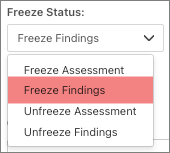
Once findings are frozen:
- Findings are no longer editable
- Users can view findings but cannot modify them
- CAPs can still be edited if the user has permission
Unfreezing Assessments and Findings
Unfreeze is typically used when:
- Updates are required to findings
- Additional corrections are needed
- The assessment must be returned to editing mode
Only authorized users can unfreeze assessments and findings to make edits. This is based on your security role.
Unfreezing Assessments
Unfreezing assessments ensures the entire assessment is preserved in its final state.
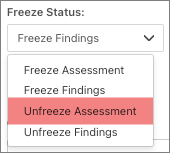
When the assessment is unfrozen:
- Fields can be edited
- Findings can be modified
- CAPs can be modified
- The assessment becomes editable
Unfreezing Findings
Unfreezing findings ensures findings can be edited.
Once findings are unfrozen:
- Findings are now editable
- Users can view and edit findings
- CAPs are editable