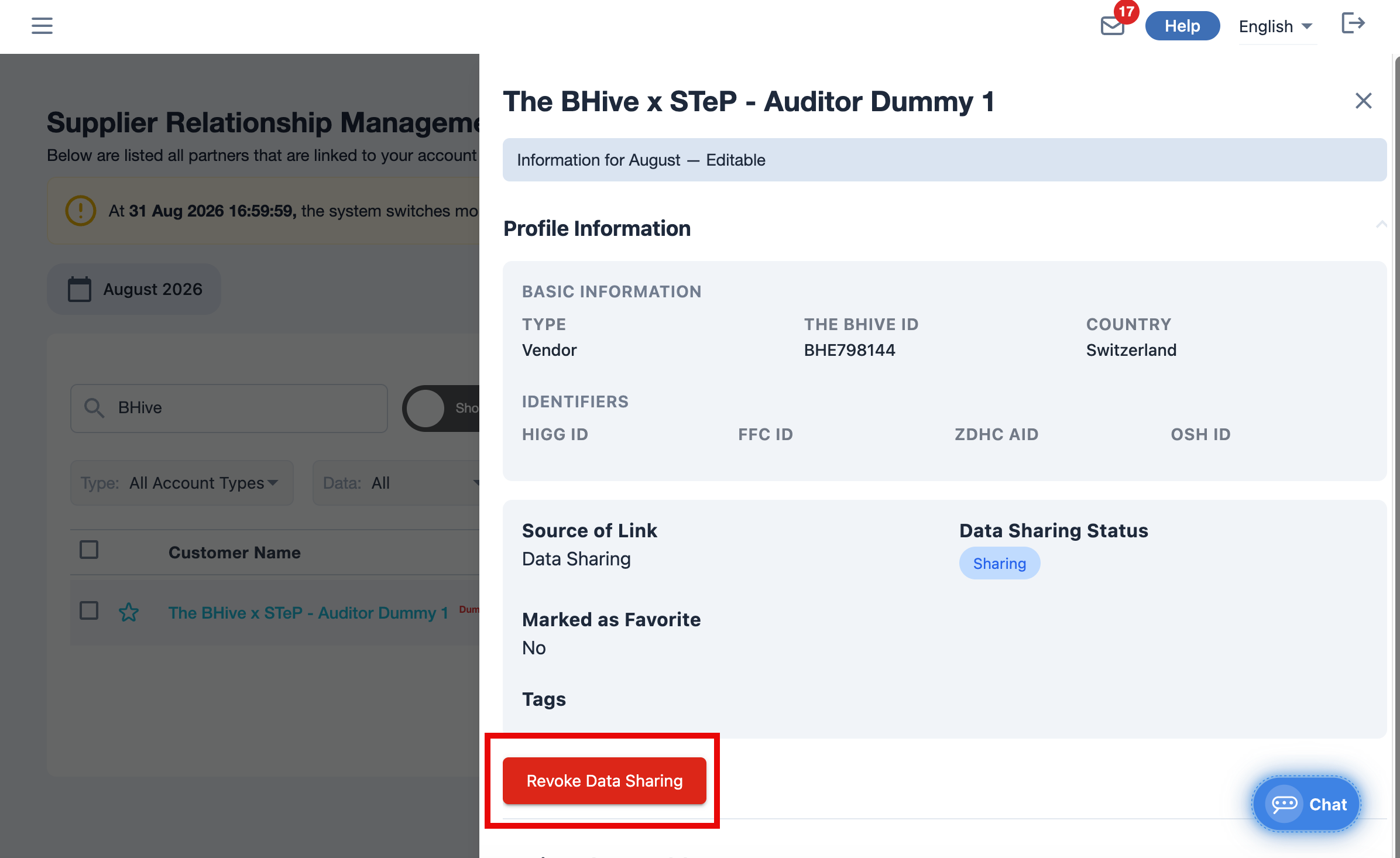
- On the left navigation, under Supply Chain Management, click SCM.
- At the top of the page, click Add Partners.
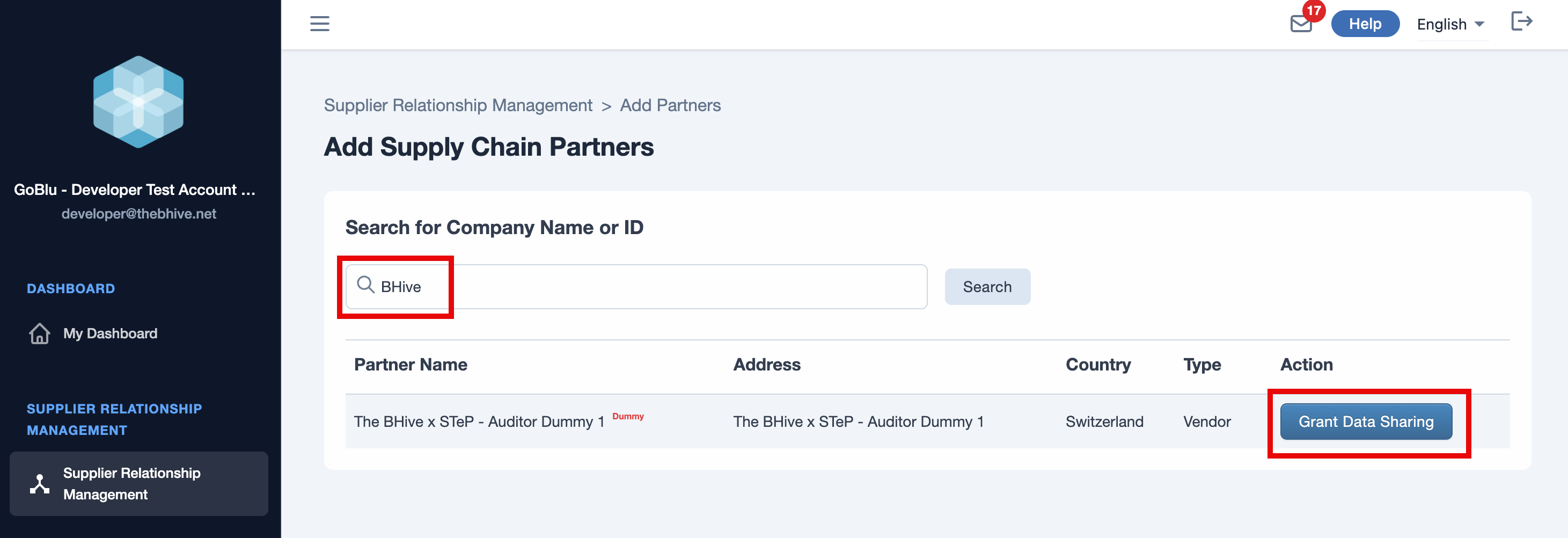
- Use the search bar to find brand partners.
- Search by company name or ID
- Under the Action column, click Grant Data Sharing.
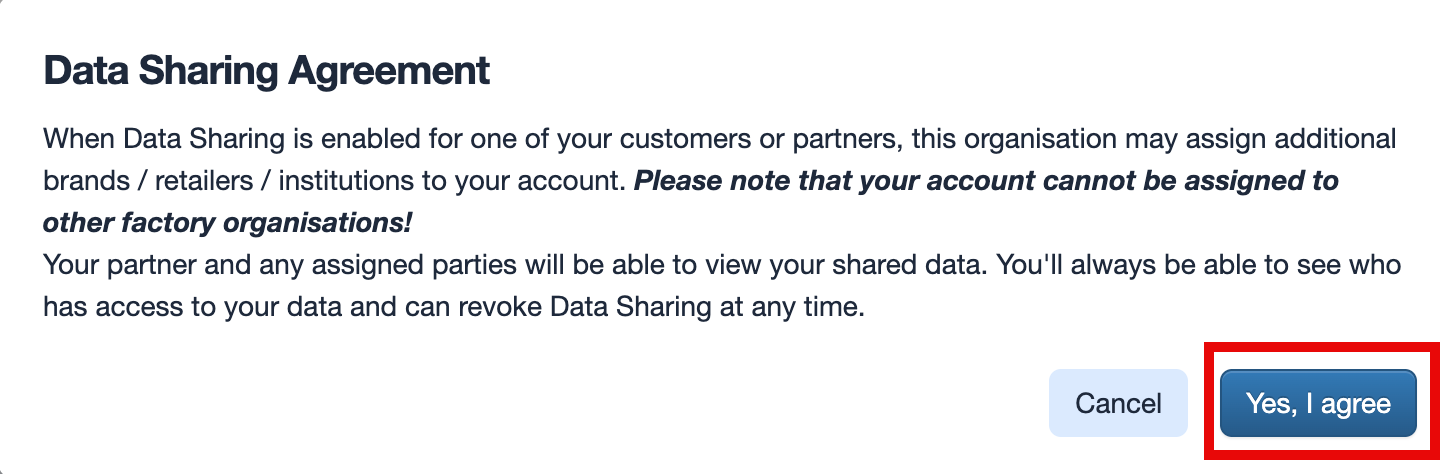
- A pop-up box appears.
-
Click Yes, I agree.
-
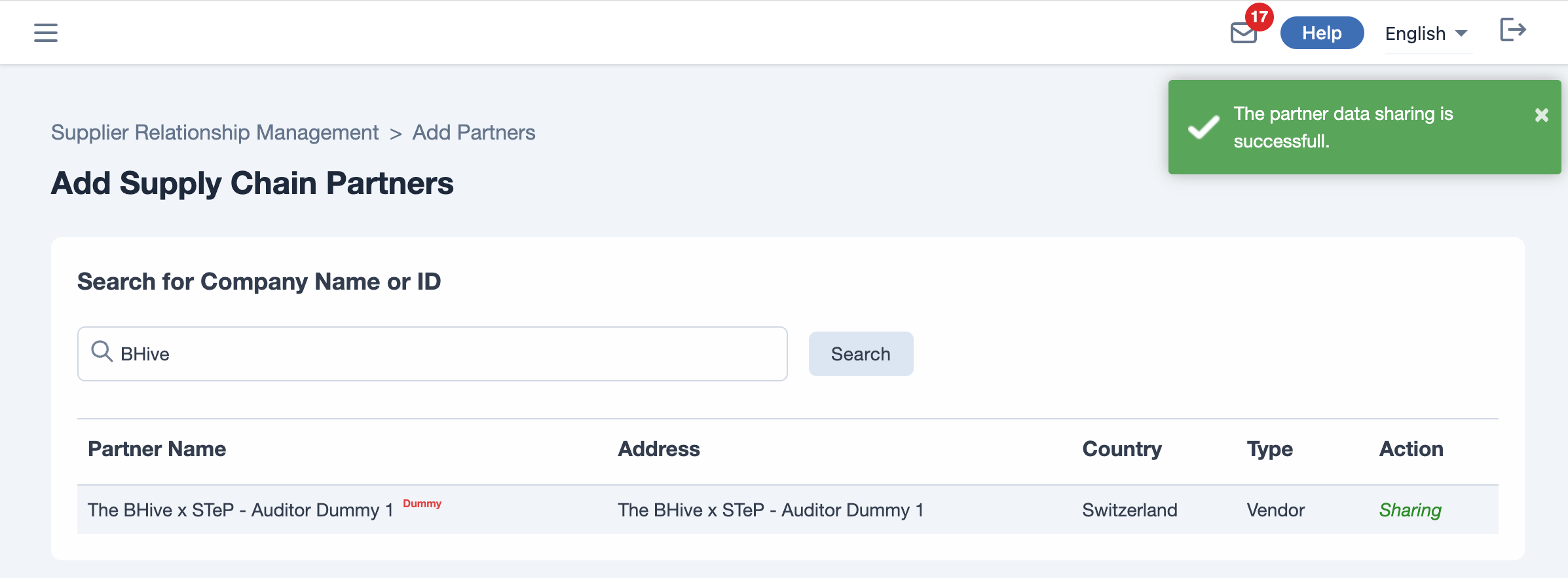
Your partner data is now in a sharing status.
To remove data sharing, click Revoke Data Sharing in the account information.