
Create or set up multiple facility accounts on the Worldly platform using your registered email address. These newly created accounts will have their own Worldly ID.
- Log in to the platform at app.worldly.io
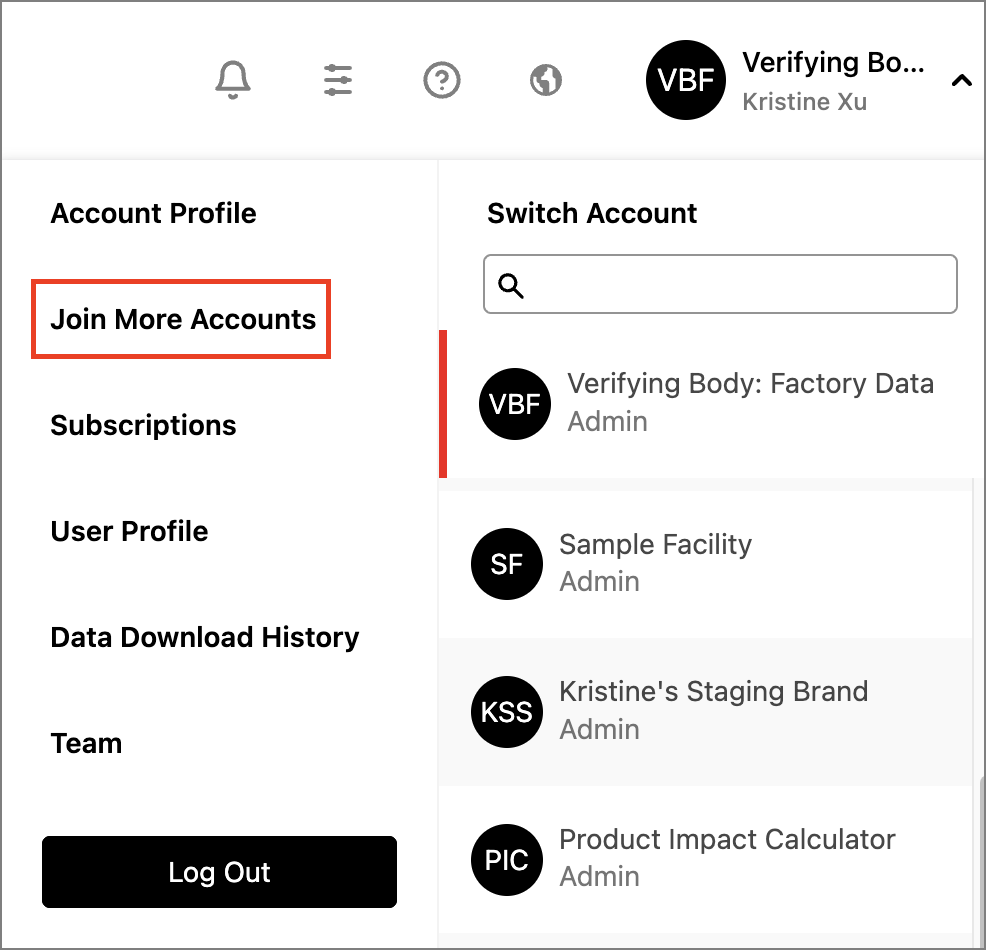
- Click or hover your mouse over your name at the top right corner of the screen.
- From the dropdown menu, select "Join More Accounts."
- On the registration page, navigate to the "Add New Account" tab and fill out the required information for the new account.
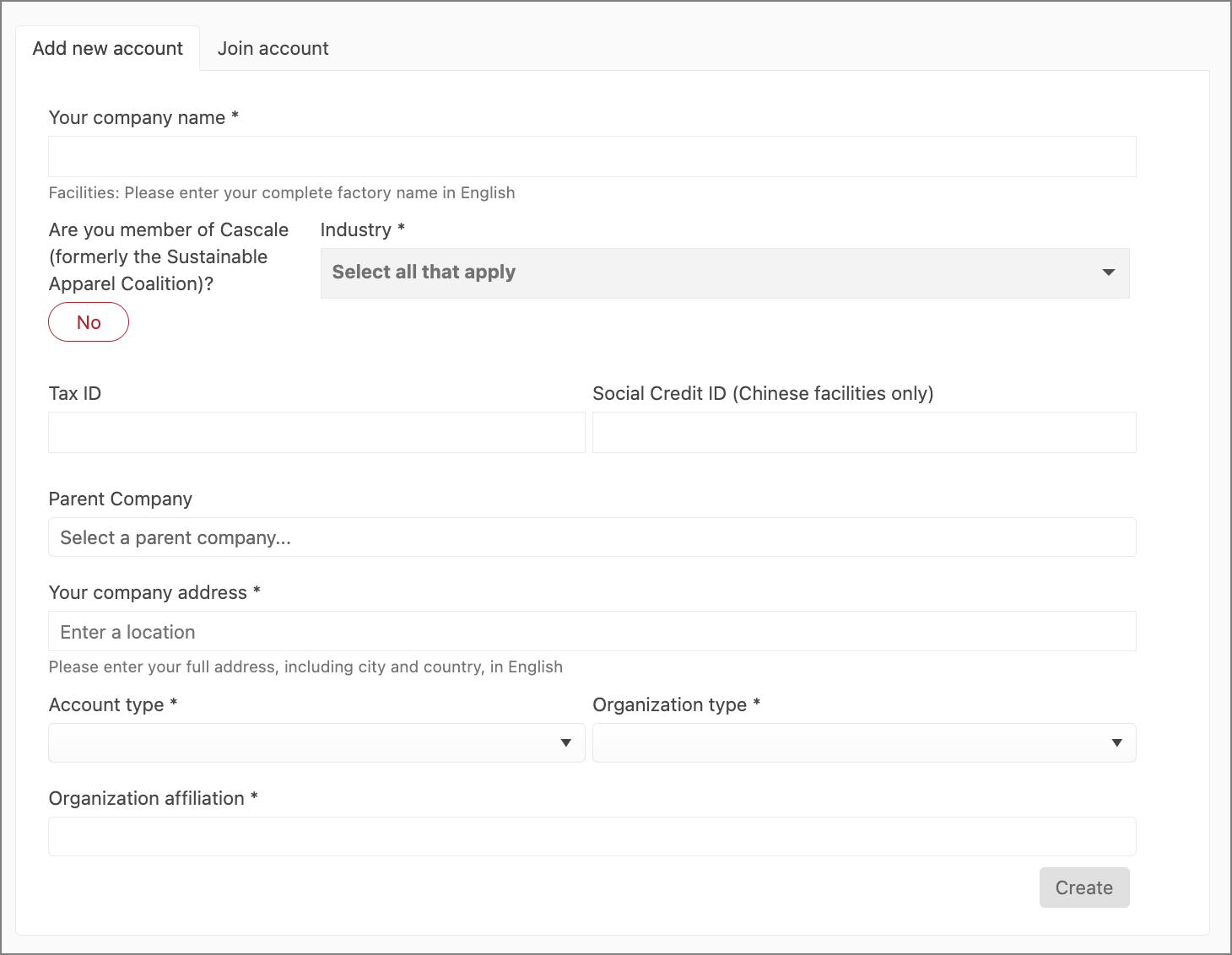
- Once you have entered the necessary details, click the "Create" button to complete the account setup process.