
Once you have a Worldly account you can login to the e-learning platform with your Worldly login credentials. There are two different ways to access the e-learning courses, see instructions below.
Login through the Worldly Platform
- Login to the Worldly Platform
- Locate the question mark icon in the upper right hand corner and select Learning Center:
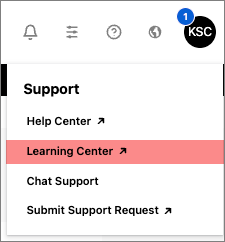
- The system will provision you a user account in the e-learning platform and you will be logged into the e-learning platform automatically
- If you are not logged in automatically enter your Worldly platform credentials in the boxes provided to login
Login to the e-learning platform directly
Note:You must initiate your first login to the e-learning platform by following the instructions above. These steps will provision you an e-learning account connected to your Worldly platform credentials. If you attempt to login to the e-learning platform directly without taking those steps for your first login, you will receive a "user not found" error.
- Navigate to the Worldly e-learning platform
- Enter your Worldly platform login credentials into the login fields provided:
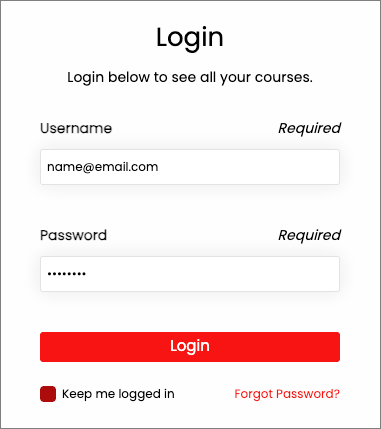
- You will be logged into the e-learning platform.
FAQ