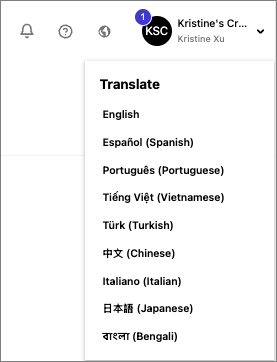
The platform can be changed into any of the available languages using the language button as well as the language of the automated platform emails. However please note that all modules MUST be completed in English, regardless of if you change the platform language.
Languages Supported
Currently, the Worldly platform is supporting nine languages:
- English
- Spanish
- Portuguese
- Vietnamese
- Turkish
- Chinese
- Italian
- Japanese
- Bengali
To change the language:
- Login to your Worldly account
- Find and click the Language button (
 ) located at the top right-hand corner of the page.
 - The menu will expand, displaying the various languages available on the platform.
- Select your preferred language.