
Don’t miss important updates about your assessments and share requests. Review your email preferences to make sure you’re receiving the messages you need from Worldly. You can also choose to opt out of specific types of emails.
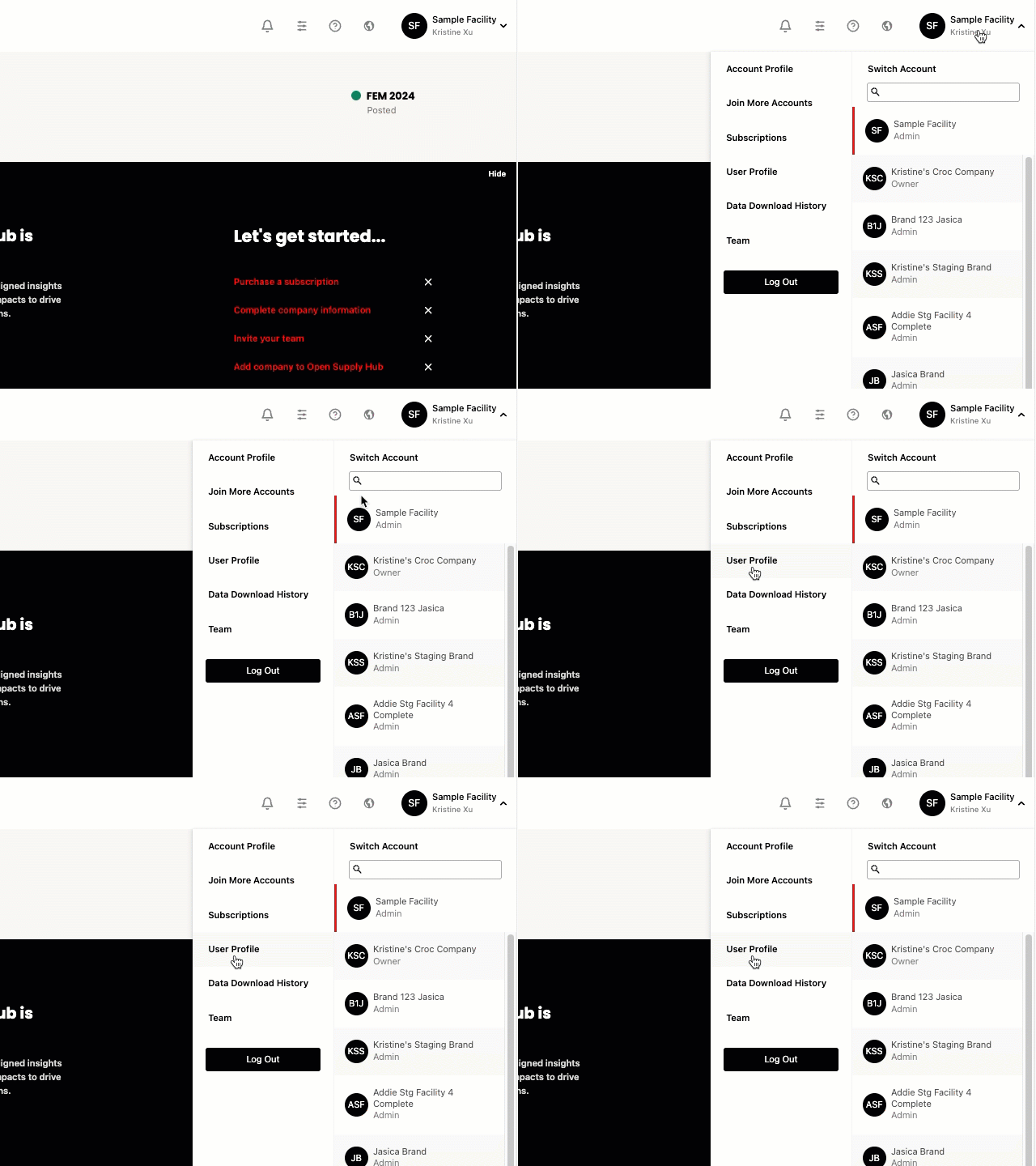
- Navigate to the drop down menu from the upper-right corner. Select User Profile.
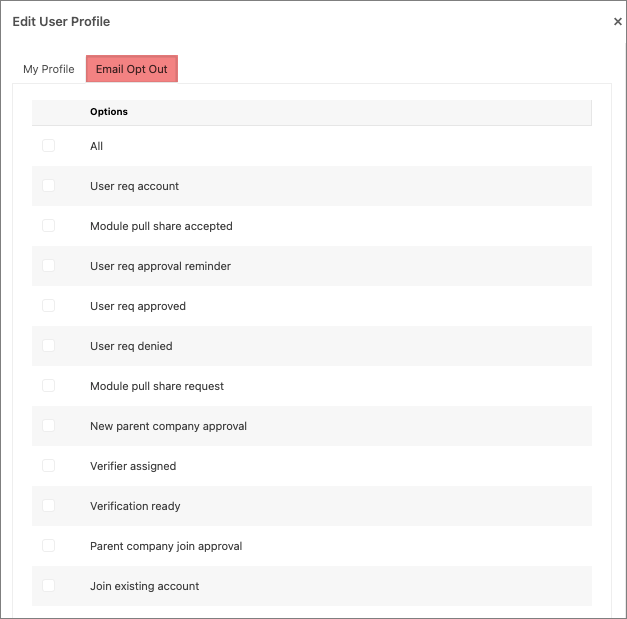
- Select the Email Opt Out tab.
- Review the list and update the checkboxes based on the types of emails you want to receive.
- To opt in to emails, make sure the boxes for the email categories you want to receive are unchecked.
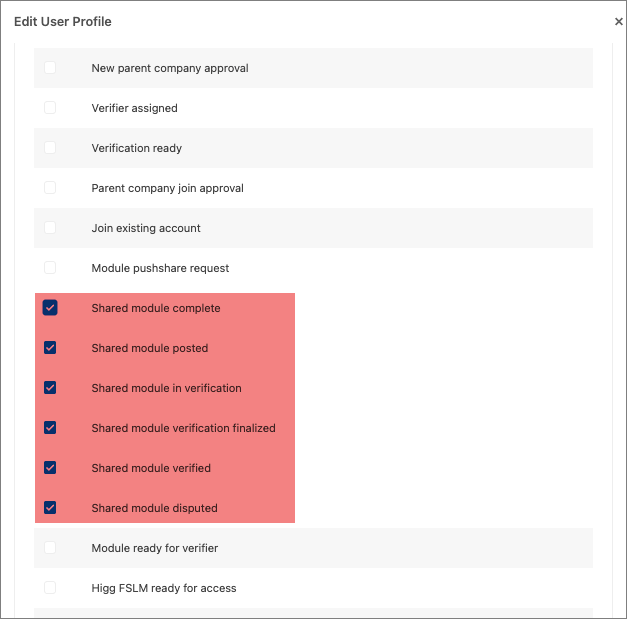
- To opt out of emails, check the boxes for the email categories you no longer want to receive. For example, if you want to opt out of all emails related to shared modules, you would check the following boxes:
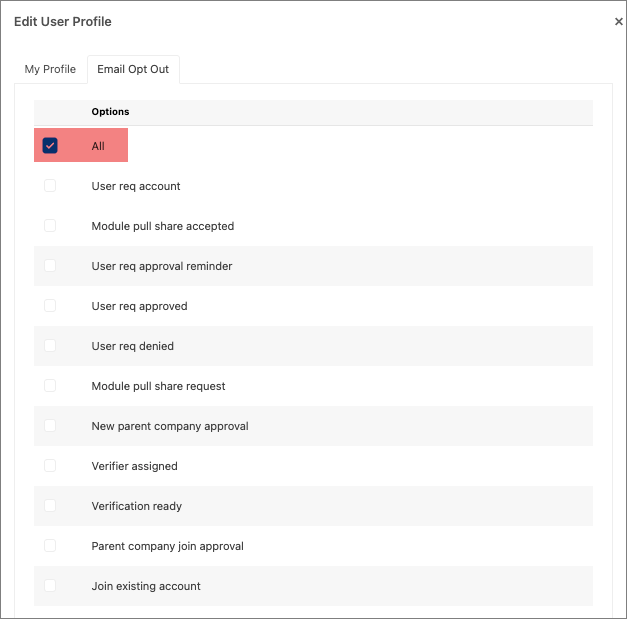
- You can also check the All check box and it will opt out of all emails
- To opt in to emails, make sure the boxes for the email categories you want to receive are unchecked.
- Review the list and update the checkboxes based on the types of emails you want to receive.